
Reset a password from the login page
When a client can't log in, they can request a password link from your login page. The link goes to their email. You don't need their password, and you should not ask them to send it to you.
Read video transcript
If a client can't log in, they can ask for a password link on your login page. A failed sign-in says Invalid email or password, and shows Send me a password link. That does the same thing as Forgot password. The page then says Check your email. The message is the same even if no email goes out. Ask them to check spam.
What to tell them
Ask the client to open your login page. That is the web address you share with clients. The page says Welcome back and Log in to your Kahunas workspace.
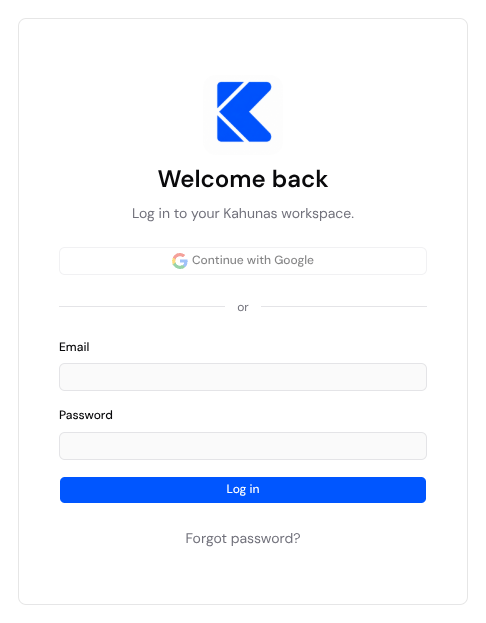
They have two ways to ask for the link. Both send the same email.
From a failed sign-in. They enter their email and a password, then select Log in. When the details don't match, the page says Invalid email or password and Check your details and try again. Under that it says Haven't set a password yet? We can send you a link to create one. They select Send me a password link.
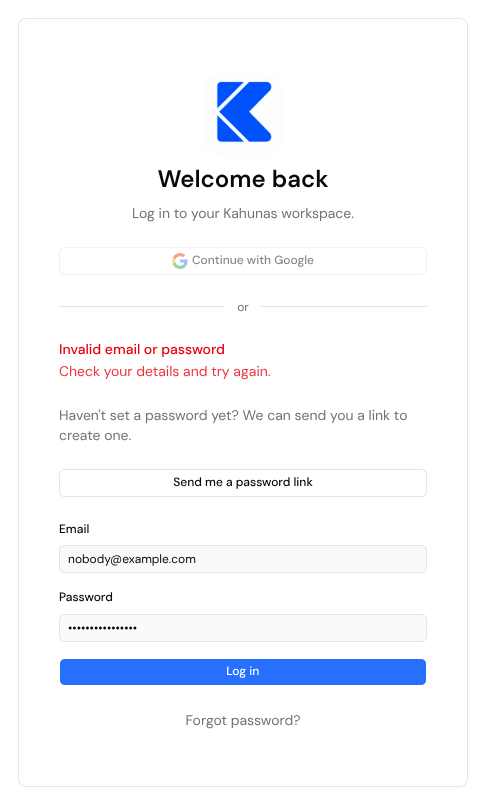
Send me a password link appears with that error. It is not proof that the email belongs to a client. Forgot password? sits under Log in on every visit, including before anyone tries to sign in.
From Forgot password? Selecting it opens Reset your password. They enter their email and select Send reset link. That is the same request as Send me a password link.
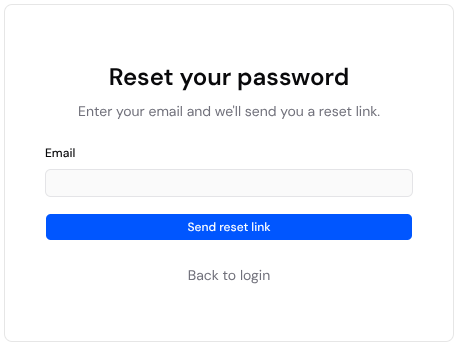
Both end on the same words: Check your email and If an account exists for that email, we've sent a password reset link. On the login page, those words replace the error. On Reset your password, they replace the form.
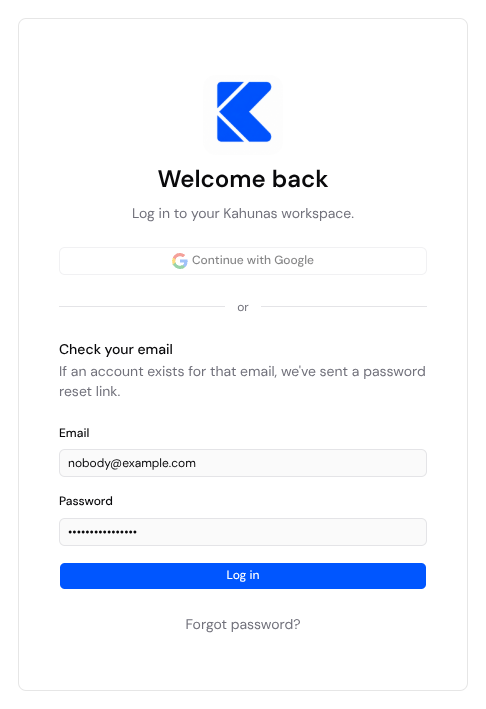
The page uses that sentence whether or not an account matches the email. An unknown address, a client who can sign in, and an account that can't receive a reset all get the same words. A client who says the page confirmed the email but nothing arrived is not, by itself, reporting a bug.
If the email doesn't arrive
Ask them to check spam or junk, and to type the email that is on their client profile.
The link lasts about 15 minutes. Another request while that link is still valid resends the same link, so an earlier email still works. They can receive at most three emails for that link. Once it has expired, one more request sends a new one.
If the client is archived or paused, restore them first. Kahunas does not email a reset to an inactive account. After you restore them, they request the link again.
You can also send the reset from the client list. Open People → Clients, open the client's three-dot menu, and select Send password reset. The steps, and Resend registration for a client who has never logged in, are in Helping a client log in. From that menu, Kahunas sends one reset email per client every 15 minutes. A second send in that window shows A reset email was already sent in the last 15 minutes and does not send another email. The link already in their inbox still works.
When they open the link, the page asks for a new password of at least 10 characters, with a lowercase letter, an uppercase letter, a number, and a symbol. They enter it twice and select Update password.
If something looks different
| What you see | What it means |
|---|---|
| Continue with Google does nothing | The button is on the page, but it does not sign anyone in. Use Send me a password link or Forgot password?. |
| The page says Your account isn't active | The password was right, and the account is archived or paused. Restore the client, then ask them to sign in again. |
| Send me a password link is missing | It appears with Invalid email or password. Forgot password? is on the page either way, and it sends the same email. |
| They pressed the button many times and only got three emails | Expected while that link is still valid. Any of the three works. After about 15 minutes, one more request sends a new link. |
| You sent a reset and see A reset email was already sent in the last 15 minutes | You, or someone on your team, already sent one. Wait, or ask the client to use the email they already have. |
| They use the Kahunas app, not the website | Forgot password? in the app sends the same kind of link. |
Screenshots show the English login page with an example email. A business with its own logo sees that logo, and Log in to your followed by the business name, in place of the Kahunas mark.
If you still need help, create a ticket from Support in your account menu and say where you got stuck.