
Canceling your Kahunas subscription
Cancel your own Kahunas plan from Settings → Billing. You can change your mind until your current billing period ends.
This guide is about the plan you pay Kahunas for. To cancel a client's subscription, see Managing client billing.
Read video transcript
To cancel your Kahunas subscription, open the menu from your avatar, top right. Choose Settings, then Billing. On the Kahunas subscription card, select Cancel account. A confirmation shows the date your plan ends. You and your clients keep full access until then. Not ready? Select Keep subscription, and nothing changes.
Before you start
Only the business owner can view the Kahunas subscription and cancel the plan. If you are a team member, ask the owner.
Cancelling affects your clients too. When your plan ends, you and your clients lose access to Kahunas, including the coach app and the client app. If you need a copy of your data first, go to Settings → Client data requests and select Request a copy of my data. See Responding to a client data request for what happens next.
Cancel your subscription
- Select your avatar at the top right, then choose Settings.
- Select Billing.
- Find the Kahunas subscription card. It shows your Plan and your Current period.
- Select Cancel account.
- Read the confirmation, which shows the date your plan ends.
- Select Cancel account in the confirmation to cancel, or Keep subscription to close it and change nothing.
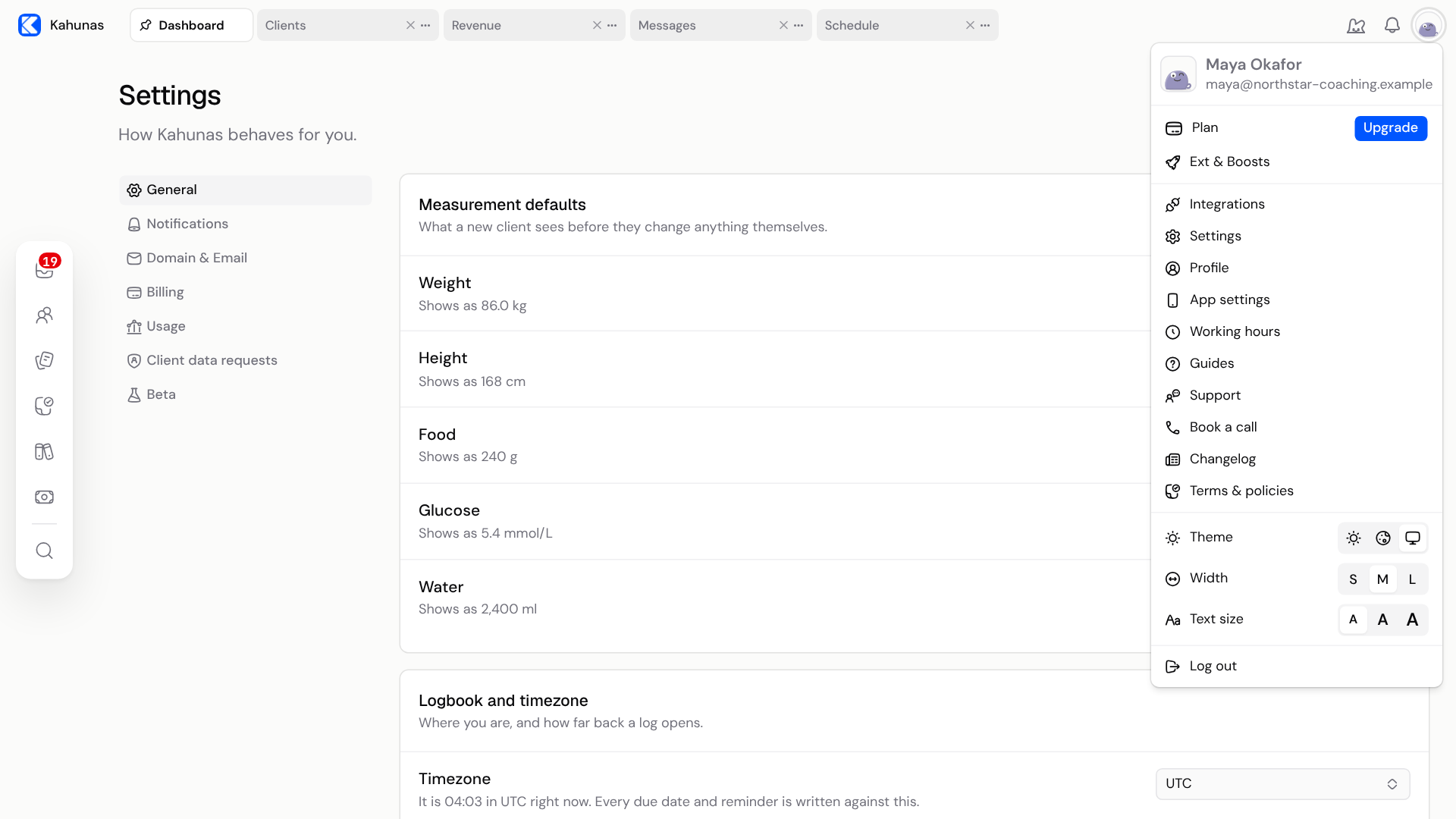
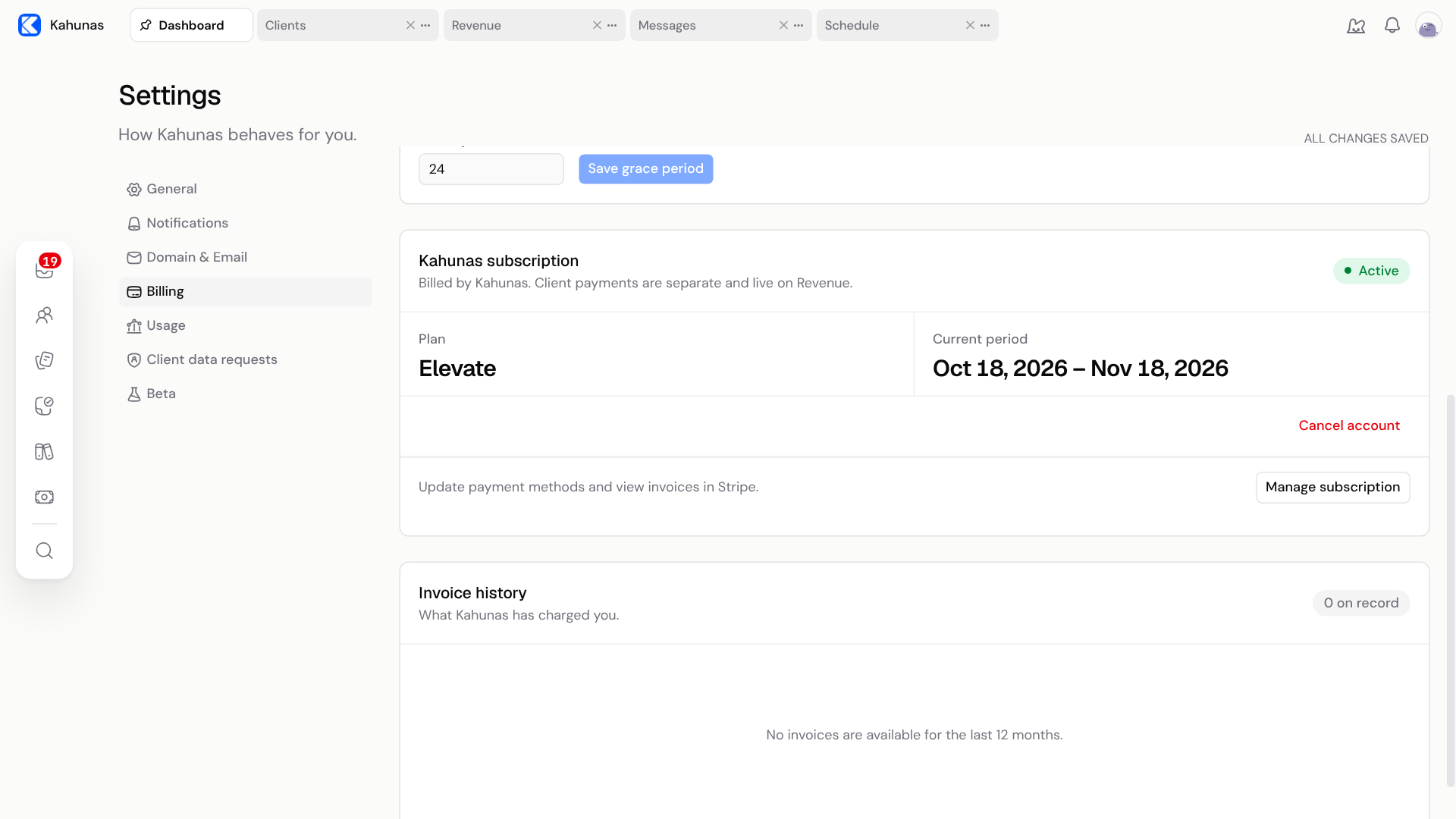
The Kahunas subscription card shows your plan, your current period and Cancel account.
What the confirmation says
The confirmation is titled Cancel your Kahunas account? It tells you:
- Your subscription stays active until the end of your current billing period, and you won't be charged again.
- You and your clients keep full access until that date.
- Your subscription and add-ons stop renewing.
- On that date, you and your clients lose access to Kahunas, including the coach app, the client app and paid features.
- If you had a plan change scheduled, it is dropped.
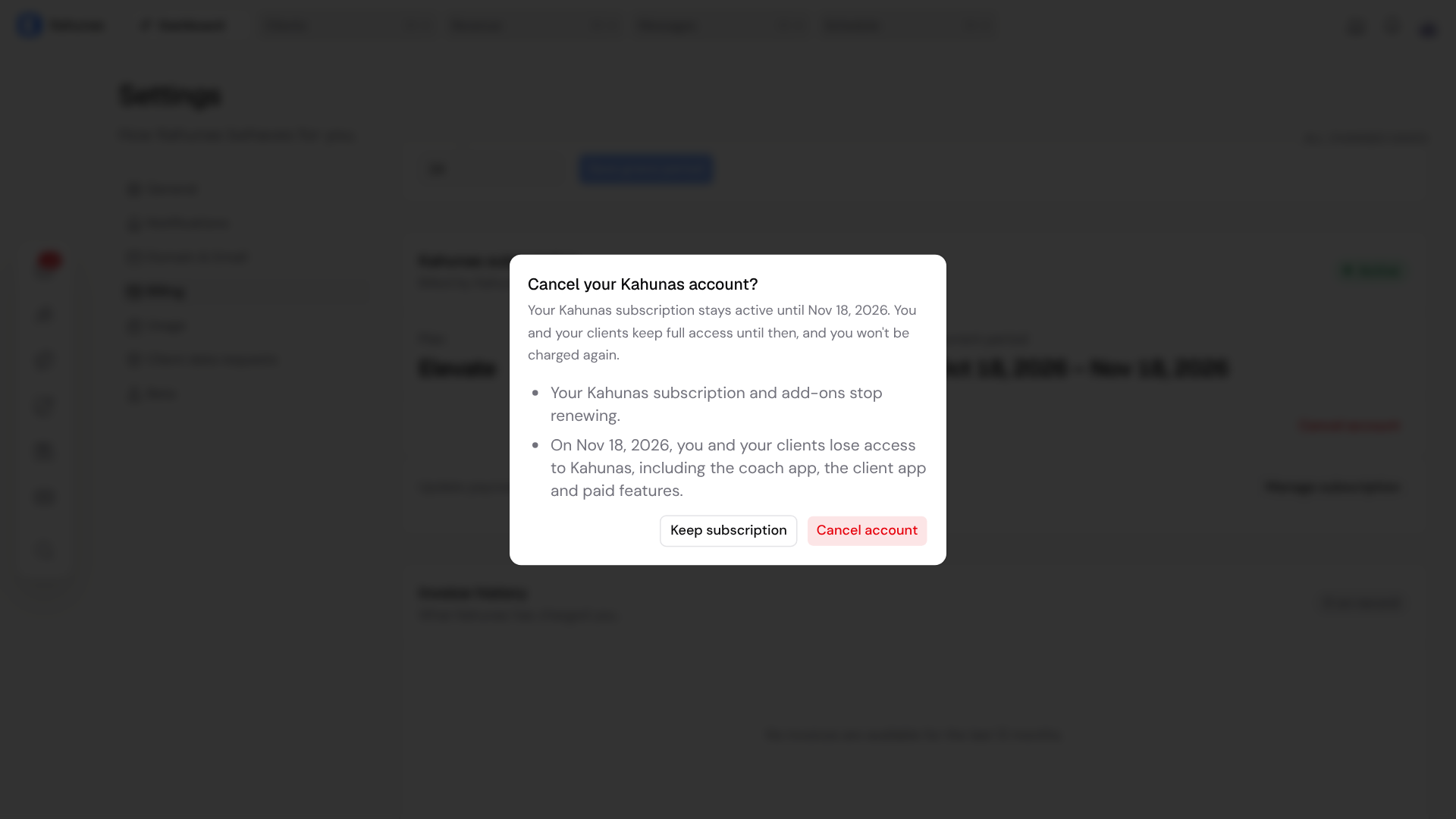
Select Keep subscription if you are not ready. The confirmation closes and your plan is unchanged.
If your subscription is paused, the confirmation reads differently. It says the paused subscription ends immediately and that this does not restart billing or create a charge.
After you cancel
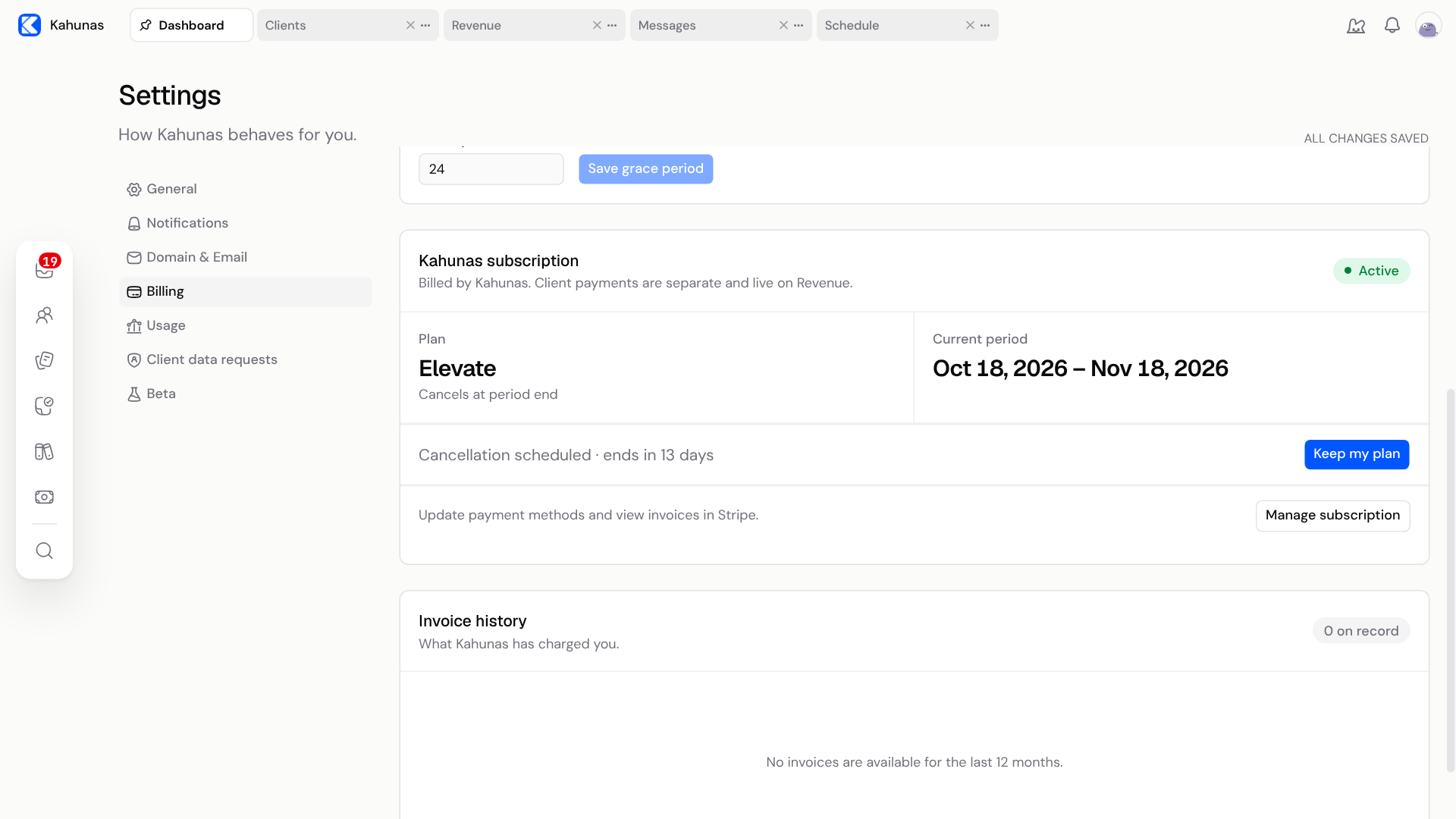
You keep full access until the end of your current period. The Kahunas subscription card shows Cancellation scheduled with the number of days left, and the Plan shows Cancels at period end.
Change your mind
Until your period ends, select Keep my plan on the Kahunas subscription card. Your plan then renews as before. Keep my plan is available while your subscription is active or in a trial and the period has not ended.
When your plan ends
When the period ends, your workspace closes for you and your clients. People who open it see that the Kahunas subscription for the workspace has ended.
A cancelled plan is different from a plan Kahunas suspends after a failed payment. Kahunas offers a way to reactivate a suspended plan, but not a cancelled one. If you want to come back after your plan has ended, contact support.
If something looks different
| What you see | What it means |
|---|---|
| The Kahunas subscription card does not load, or you are a team member | Billing information is for the owner. Ask the owner to cancel the plan. |
| No Cancel account button | There is no active subscription to cancel, for example a plan that is already cancelled or a lifetime plan. Create a ticket from Support in your account menu if you think this is wrong. |
| Billing information is temporarily unavailable | Select Try again. If it keeps happening, create a ticket from Support in your account menu. |
| A Cancellation scheduled line instead of Cancel account | You have already cancelled. Select Keep my plan if you want to undo it. |
Screenshots show the English interface with example data. Your plan name and dates will differ.
If you still need help, create a ticket from Support in your account menu and say where you got stuck.